

Table of Contents
Google has officially rolled out Googlebooks, its new laptop operating system transitioning from ChromeOS to Android, promising deep phone integration, AI tools, and premium hardware. After spending several weeks testing devices like the $1,299 ASUS Googlebook 14, Engadget reports that while the platform offers potential long-term benefits for Google and developers, it is not yet fully worthwhile for buyers, especially given its steep pricing.
Premium Hardware and High Starting Prices
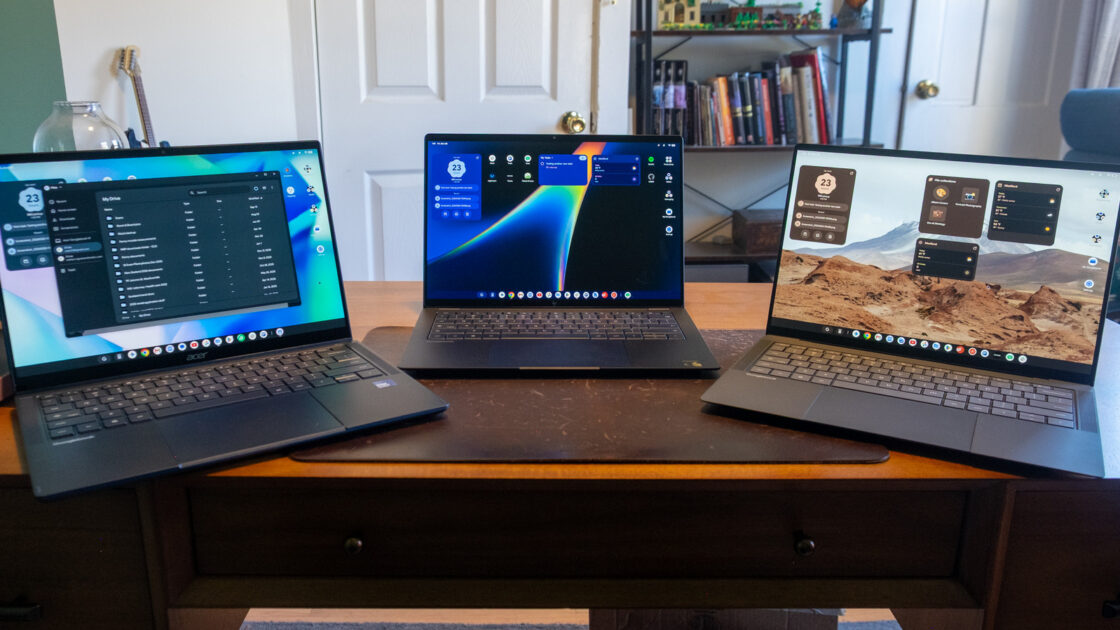
Most testing was conducted on the ASUS Googlebook 14, featuring an OLED touchscreen with Gorilla Matte glass, an Intel Core Ultra 5 chip, 16GB of RAM, and 512GB of storage. Additional testing included Acer’s Googlebook 14 and HP’s Snapdragon X Elite-powered Googlebook 14, with performance feeling comparable across models, though the HP displayed better battery life and quieter fans according to Engadget’s testing. Currently positioned as premium devices, Googlebooks start at $899 for the Acer model, making them significantly more expensive than traditional Chromebooks and putting them in direct competition with versatile Windows PCs and MacBooks.
Out-of-the-Box Experience and UI Tweaks
Setting up the laptop is streamlined through a connection with an Android phone or iPhone by scanning a QR code, transferring apps, data, and Wi-Fi credentials seamlessly. The user interface resembles ChromeOS with a taskbar at the bottom, though key info like time, date, and notifications has moved to a thin strip at the top of the screen. Engadget notes that Google removed some handy ChromeOS taskbar shortcuts, such as quick calendar and Google Tasks integration, while adding desktop widgets that ChromeOS does not support.
Browser and App Shortcomings
Although Chrome is the world’s most popular browser, Googlebooks currently lack certain essential features, such as syncing Chrome tab groups across devices, which Google promises to add in a future update. Installing web apps like Slack as standalone windows initially failed during testing before a subsequent Chrome update resolved the issue. Furthermore, Android app developers have historically neglected large screens, leaving many mobile apps to merely stretch across the display rather than utilizing multi-column layouts.
Android Integration and AI Features
The standout feature of Googlebooks is its integration with Android smartphones, allowing users to cast phone apps into independent, resizable windows on the laptop. Users can also transfer ongoing tasks—such as composing an email or viewing a note—from their phone to the laptop with a single click. Additionally, a pre-installed “Link to iOS” app offers limited iPhone messaging support, though group chats and media sharing are not supported.
AI capabilities powered by Gemini are deeply embedded in the OS, featuring the Quick Insert key, voice-cleaning dictation tool Rambler, and the Magic Pointer. By vigorously wiggling the trackpad, users can activate the Magic Pointer to select screen sections, allowing Gemini to automatically highlight content and offer proactive suggestions like adding events to a calendar.
Googlebooks are available now, and future software updates are expected to address current limitations and eventually bring more affordable hardware options to the market.