
Table of Contents
Google is attempting to combine the best features of Android and Chrome OS into a new family of PCs designed to be smarter, easier to use, and more mobile-friendly than previous models. As reported by Engadget, while Lenovo has delivered excellent premium hardware with the Googlebook 15, Google’s new laptop platform suffers from the typical growing pains associated with first-generation software.
Design and Display
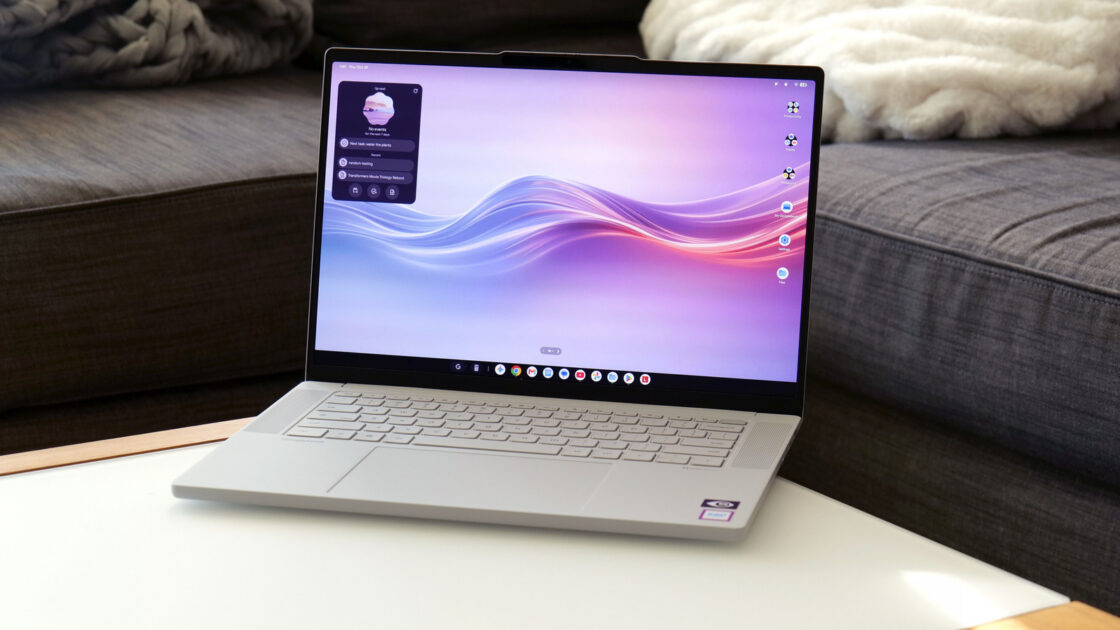
The Lenovo Googlebook 15 features a 15.3-inch OLED display with a 120Hz refresh rate, a typical brightness of 500 nits, and HDR True Black 1000 certification. Engadget notes that the chassis is constructed from a mix of plastic, carbon fiber, and magnesium-aluminum alloy, coated in a silk-touch finish that feels like unglazed porcelain and resists fingerprints. Despite its larger screen, the device weighs 2.85 pounds, making it lighter than a 14-inch MacBook Pro.
The laptop includes up-firing quad speakers with Dolby Atmos, a selection of ports including two USB-C, one USB-A, HDMI, and a 3.5-millimeter audio jack, alongside a large haptic touchpad. The keyboard offers a pleasant typing bounce and incorporates a Google key for OS-related shortcuts, while a built-in camera with a physical shutter and a fingerprint sensor supports facial recognition. Additionally, a lightbar on the lid changes color based on factors like charging status and startup, though the LEDs are positioned to face away from the user.
Performance
Googlebook platform requirements dictate that participating systems include at least 16GB of RAM. Combined with an Intel Core Ultra 5 325 chip and 256GB of base storage, Engadget found the system proficient for core computing needs. However, because users install mobile apps meant for phones, some apps lack proper hardware optimization, such as downloading the mobile edition of Photoshop rather than a desktop version. Furthermore, many Android apps are designed for ARM-based chips rather than the x86 architecture used in Lenovo’s machine, though the laptop scored 9,011 on Geekbench 7’s multi-core CPU test.
Software and Features
Googlebook OS offers a familiar interface with notifications and quick settings in the top right, a bottom taskbar, and an app drawer, supporting easy side-by-side multitasking. Cross-device sharing forms a core part of the ecosystem, allowing users to pair an Android handset via QR code. This setup enables drag-and-drop file transfers, app casting, notification syncing, and browsing continuity. Engadget points out limitations such as a 200MB file transfer restriction and stuttering when casting games.
Other software additions include the Magic Pointer for selecting objects to query Gemini or create AI drawings, the Rambler voice transcription tool with a dedicated keyboard button, and AI tools for custom widgets and file summarization. However, app compatibility involves five distinct tiers ranging from “Made for desktop” to “Built for mobile,” which can create a trial-and-error experience with display glitches or unoptimized layouts.
Battery Life
The device is powered by a 70Whr battery, but its large display impacts overall longevity. Engadget tested the laptop using local video playback, where it ran for eight and a half hours, compared to longer durations seen on smaller competitor laptops. During everyday use, the Googlebook 15 managed to survive a full eight-hour workday with 20 percent battery remaining.
Engadget concludes that while hardcore Android users will appreciate the seamless phone integration and hardware design, mainstream users may want to wait until future updates iron out the initial software kinks of Googlebook OS.