
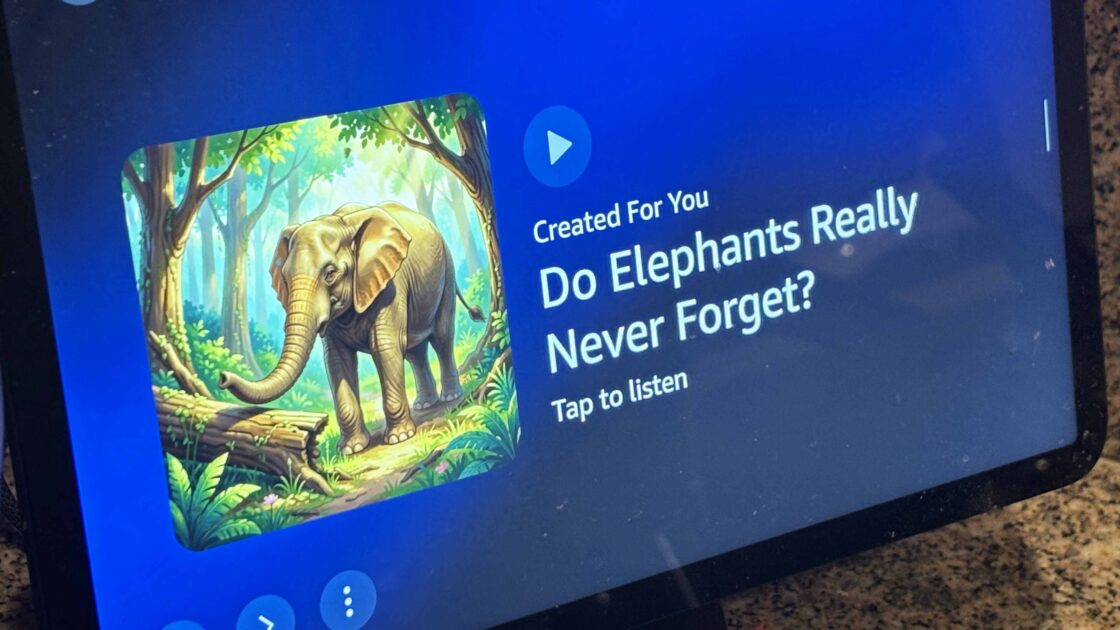
Amazon Echo Show smart displays have started displaying unwanted artificial intelligence-generated ads and content under a feature called Created For You. As reported by CNET, these automated slides feature vague content and poorly generated images that often do not match user interests, prompting the need for specific settings adjustments to clean up the display.
Disabling AI Content on Your Echo Show
According to CNET, users can manage what appears on their screens by updating the device configurations directly through the touchscreen rather than the Alexa app. When an unwanted AI slide appears on the screen, users can tap the three-dot menu button and select the thumbs-down option to signal their dislike for the content.
To further clean up the display, swipe down on the Echo Show device to open the main menu and select Settings, followed by Display and Appearance, and then Content Categories. Within this section, users can manually turn off unwanted categories linked to the AI content or enable the Rotate Once setting to ensure Amazon’s slides appear only once.
Alternatively, users can configure their Echo Show to display a personal photo album instead of automated suggestions, limiting the screen content entirely to personal images. These adjustments help reduce unwanted AI-generated images and tailor the display content to individual preferences.