
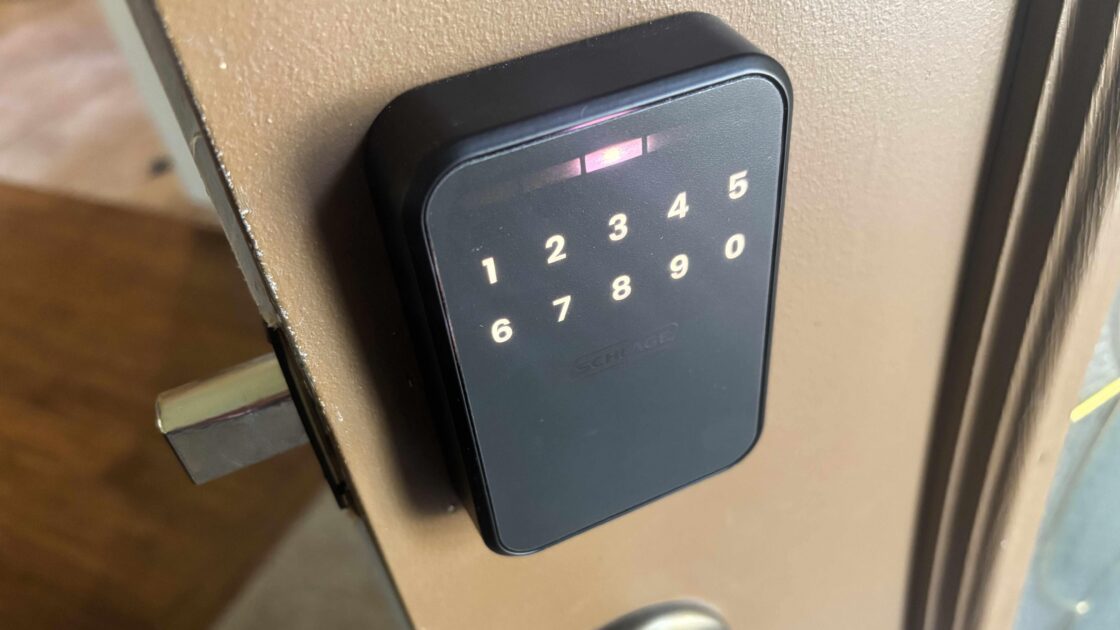
Android users seeking advanced ways to manage home smart locks received an update as Google announced it will begin offering digital keys in Google Wallet built on Aliro, a new smart lock standard. These home keys in Google Wallet, which have already started rolling out to Public Preview users in Google Home, offer users similar capabilities to Apple’s system with compatible smart locks.
The Convenience of UWB Technology and Aliro
When testing the predictive Schlage Sense Pro lock, which uses ultrawideband technology and Apple Home Keys in Apple Wallet, Schlage noted that other brands were adopting Aliro to bring seamless usability to more devices. The ultrawideband or UWB tech senses a key holder coming to the door, judges speed and trajectory based on signals, and has the door unlocked by the time the user reaches it, with autolock features securing it a minute later. The system can also sense when a user is actually approaching versus simply walking by, preventing random openings.
Compatible locks with UWB and the unlock-on-approach feature include the Schlage Sense Pro priced at $394.98, the Aqara u400 priced at $269.99, and the European brand Nuki Keypad 2 NFC lock priced at $179, with more models expected. Aliro was officially released in early 2026, meaning broad adoption will take time, though the standard includes security encryption and battery-life savings.
Digital Wallet Features and Requirements
The unlock-on-approach capability is only one advantage, meaning users do not strictly need a UWB-compatible lock to benefit. According to Google, home keys in Google Wallet will offer NFC to tap a phone to unlock the door without unlocking the device itself, allow digital key use across multiple locks, and sync keys across compatible devices. Other household members can add their own home keys to the Wallet, though unlike Apple’s temporary passes, Google requires guests and visitors to use passcodes instead of personal digital keys.
If a phone is lost, users can typically rely on keypad access codes, though some UWB locks forgo physical key slots entirely to reduce lockpicking risks. Getting started requires an NFC-enabled Android phone running Android 9 or later, such as the Google Pixel 10 Pro or Pixel Fold, alongside a Matter-enabled Google Hub with a Thread Border Router like a Nest Hub Max, Nest Wifi Pro system, or Google TV streamer. Users must ensure their phone, lock, Google Wallet app, and Google Home app are updated to be prompted to create home keys during setup.