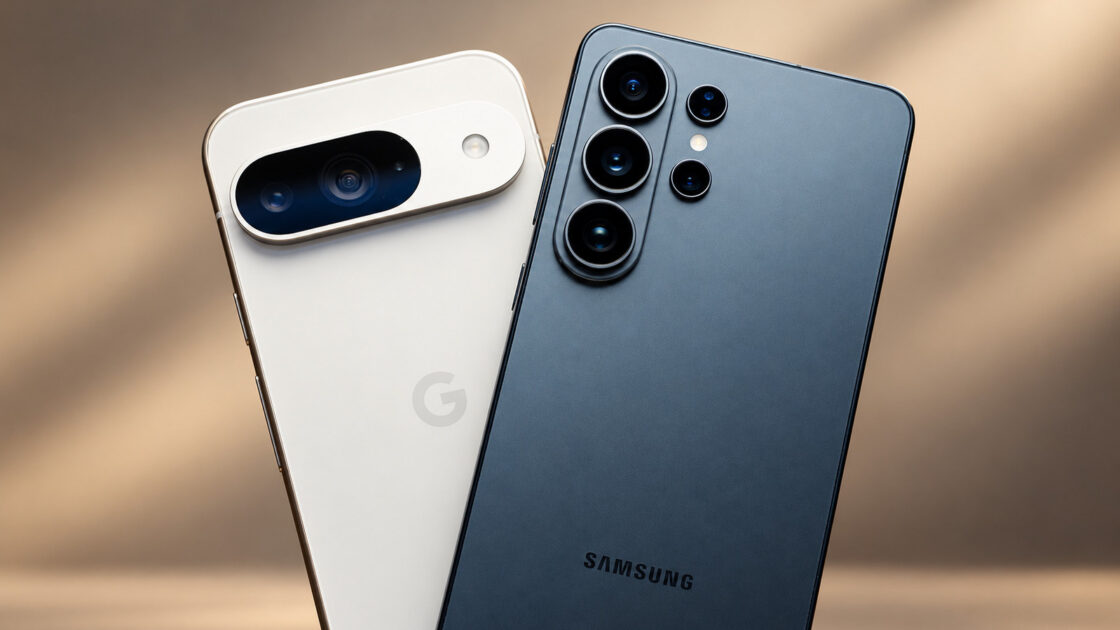
Switching from a Google Pixel to a Samsung Galaxy smartphone offers buyers a broader selection of devices, deeper system customization, and distinct hardware perks such as the S Pen or a flip-style foldable. However, transitioning also means adapting to Samsung’s busier version of the Android operating system and parting ways with specific Pixel conveniences.
Building a case for switching to the Galaxy
Samsung’s primary advantage is variety, as its US storefront features 15 distinct Galaxy models across the A, S, and Z series. This lineup includes the budget-to-mid-range Galaxy A37 and A57, traditional flagship S series devices, and folding options like the Z Flip8 and Z Fold8. In comparison, Engadget notes that Google’s US storefront displays a smaller selection limited to seven main Pixel product listings, including the Pixel 10, Pixel 10 Pro Fold, Pixel 10 Pro, Pixel 10a, Pixel 11, Pixel 11 Pro Fold, and Pixel 11 Pro. However, a larger selection does not mean uniform features; the A37 lacks support for DeX and wireless charging, though it offers a 45W wired charging rating that outpaces the standard S26’s 25W rating.
Regarding customization, Samsung users can utilize Good Lock for precise adjustments to the Quick Settings and lock screen. Furthermore, the Modes and Routines feature can automatically activate these custom settings based on a user’s daily habits. While compatible Galaxy devices support DeX for a desktop-style experience on an external display, supported Pixels now feature desktop windowing as well. Meanwhile, Galaxy S26 Ultra users gain exclusive hardware extras including an integrated S Pen and a Privacy Display designed to block onlookers.
An Engadget reviewer who recently transitioned from a Pixel 10 Pro XL to an S26 Ultra reported positive experiences with the added speed, battery life, S Pen, charging speed, and Samsung’s AI tools like Photo Assist for removing unwanted objects and Note Assist for summarizing notes. Drawbacks included Samsung’s push to promote alternative apps over existing Google applications, along with missed elements like the clean Android UI and early access to new Google features, though finding protective cases for the Ultra proved easier.
Why staying with Pixel might make more sense
Google’s ecosystem provides advantages beyond a streamlined app drawer. Engadget reviews awarded the Pixel 11 a score of 92 out of 100, outperforming the Galaxy S26 score of 80 out of 100. The Pixel 11 features a 5x optical telephoto camera compared to the S26’s 3x camera, alongside built-in magnets for Pixelsnap accessories that require a separate compatible case on Galaxy S26 devices. For higher-tier options, the Pixel 11 Pro and Galaxy S26 Ultra both secured a score of 90 out of 100 in reviews, making the choice between those models less definitive.
Additional options include the Pixel 10a, which provides wireless charging and seven years of software updates. Its direct competitor, the Galaxy A37, features a slightly larger 6.7-inch screen, faster 45W wired charging, and six years of updates. Pricing dynamics also fluctuate based on launch schedules, as Samsung’s main Galaxy S flagships debut months ahead of late-summer Pixels, allowing more time for price reductions. For example, a 256GB S25 dropped from $860 to $660 during an October 2025 sale.
Retail pricing places the Pixel 10a at $599, contrasted with $490 for the Galaxy A37 and $600 for the A57. Samsung also increased the US list price for the S26 from $899 to $999 in October, placing it $100 above the $899 starting price of the Pixel 11, though major carriers offer aggressive promotions for both device families.
Users transitioning between ecosystems can use Samsung’s Smart Switch to transfer photos, messages, and supported apps, though private app data and game progress may not carry over. Checking whether applications require separate backups or fresh logins beforehand prevents the need to manually reconfigure settings just to switch between capable Android devices.