

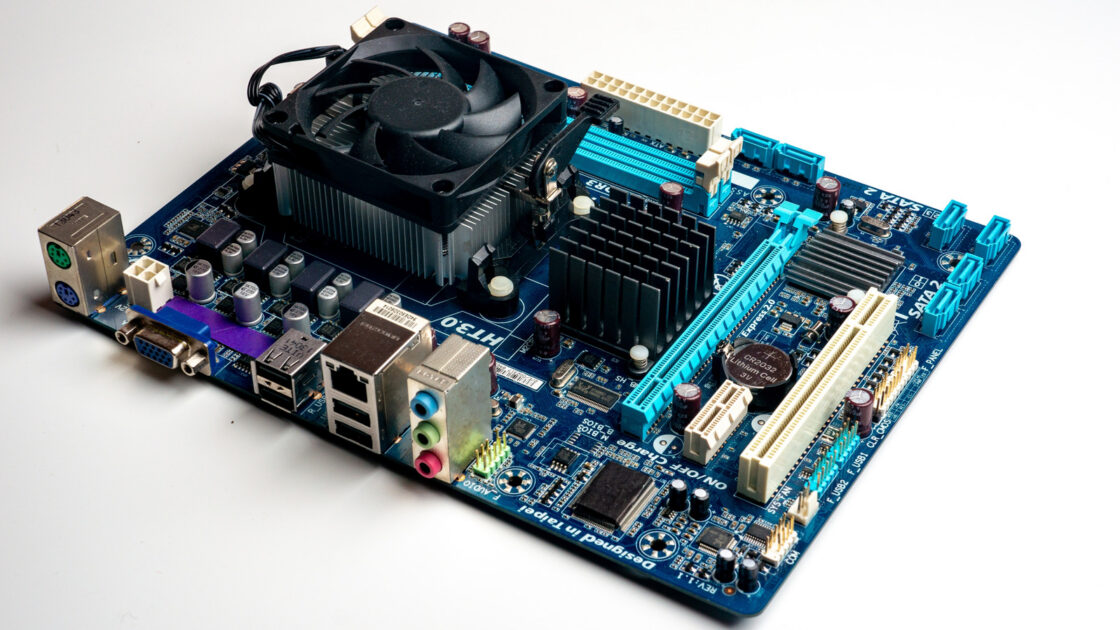
Deciding whether to repair or replace a computer motherboard can be challenging due to the rising costs of PC components. While the motherboard is one of the most critical parts of any computer, understanding its warning signs can help users determine their next steps.
When to replace your motherboard
A standard, decent-quality motherboard can last up to ten years, but PC hardware remains notoriously unpredictable. A dying board often signals its failure through a power-on self-test (POST) failure, which checks hardware health during bootup. When a POST failure comes with specific beeps or signals from the PC, users should be concerned.
Additional warning signs include difficulties reaching the operating system or frequent random blue screens of death, which point to software problems or board-level damage. Overheating caused by damaged capacitors or improper thermal paste applications can lead to internal damage. Furthermore, failing RAM and PCIe slots often spell the end for a board, making a full replacement necessary.
Replacement can also be a proactive upgrade choice for long-term benefits. While high-end options increase expenses, reliable units of remarkable quality are available at lower prices. Upgrading an aging board can offer substantial value even if the current hardware functions adequately.
When you should repair your motherboard
Because motherboards consist of numerous communicating components, various localized issues can occur. Capacitors responsible for supplying voltage and current can fail, but users skilled with a soldering kit can replace them. A multimeter is also useful for testing whether a power coil or fuse has burned out.
Users can carefully straighten bent pins on a CPU socket that features board-level pins, provided they exercise patience. Replacing a dead CMOS battery takes only minutes and resolves issues ranging from minor to severe. Simple maintenance like cleaning or reapplying thermal paste can also help, though improper execution risks harming the board, with individual repair parts costing less than a cup of coffee.
The choice between repairing or replacing a motherboard ultimately depends on the severity of the problem. Minor fixes like replacing dead CMOS batteries, faulty capacitors, or straightening bent pins remain common and straightforward. However, severe board issues that disrupt normal computer usage usually indicate that a full replacement is overdue.