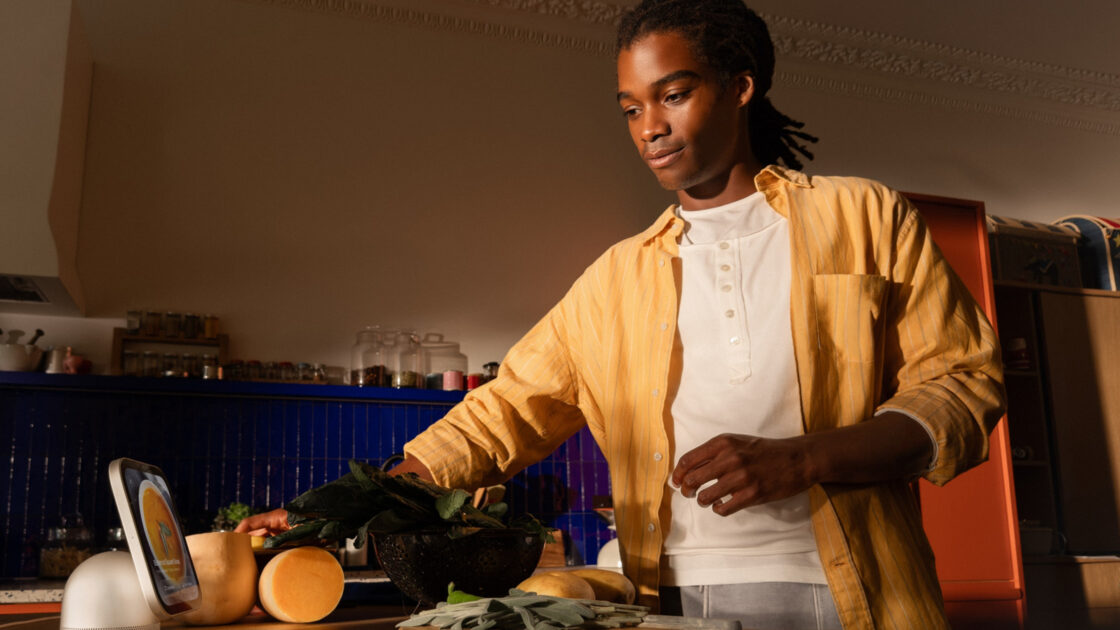
Apple has introduced a new cooking-focused feature for its HomeView smart hub, designed to eliminate the frustrations of using a smartphone while preparing meals. Released on November 13, 2026, the device features a 7-inch Liquid Retina display and integrates with Siri AI to help users manage recipes hands-free.
Using the HomeView Recipe Feature
The HomeView’s “Start Cooking” tool allows users to transfer recipes from Safari on an iPhone or iPad to the smart hub by holding the mobile device near the hub. Users can also search for recipes directly on the HomeView using Siri or the web browser. Once a recipe page is detected, a spoon and recipe card icon appears in the bottom right corner of the screen. Tapping the “Show Recipe” button activates a specialized cooking mode.
In this mode, the webpage is reformatted into a series of swipeable slides, allowing users to track individual steps easily. Ingredients are presented in a checklist format. The device also simplifies time management by offering countdowns preset to the recipe’s requirements. Users can start a timer by tapping highlighted text, which then displays a countdown at the top of the screen.
Beyond recipe management, the HomeView allows users to multitask in the kitchen. Owners can play music, monitor doorbell cameras, and view text messages without needing to handle their phones, helping to prevent distractions while cooking.
Device Requirements and Setup
To utilize these features, users must own an iPhone or iPad running iOS 27.2 or later. The HomeView acts as a hub for various Apple services, including music handoff, calendar reminders, and FaceTime calls.
The HomeView, which was first showcased at Apple’s October “Welcome Home” event, is available for $299. It comes in two configurations: a self-standing speaker available in four colors, and a wall-mounted version offered in SpaceGray or Silver. Wall-mounted units require a separate mount, such as the $79.95 hardwired AC mount from Schneider Home or the $59.99 Power Mount USB-C Wall Connector. The latter requires a 20W or higher power adapter, which is sold separately.
Apple has announced plans to release a hardwired power over ethernet (PoE) mount in the future, though it is not currently available. To set up the device, users must ensure their iPhone or iPad is connected to their home Wi-Fi, updated to the latest software, and signed into the same Apple account intended for the HomeView. After plugging in the hub, users can complete the configuration by holding their mobile device near the HomeView and following the prompts on the screen.