

Table of Contents
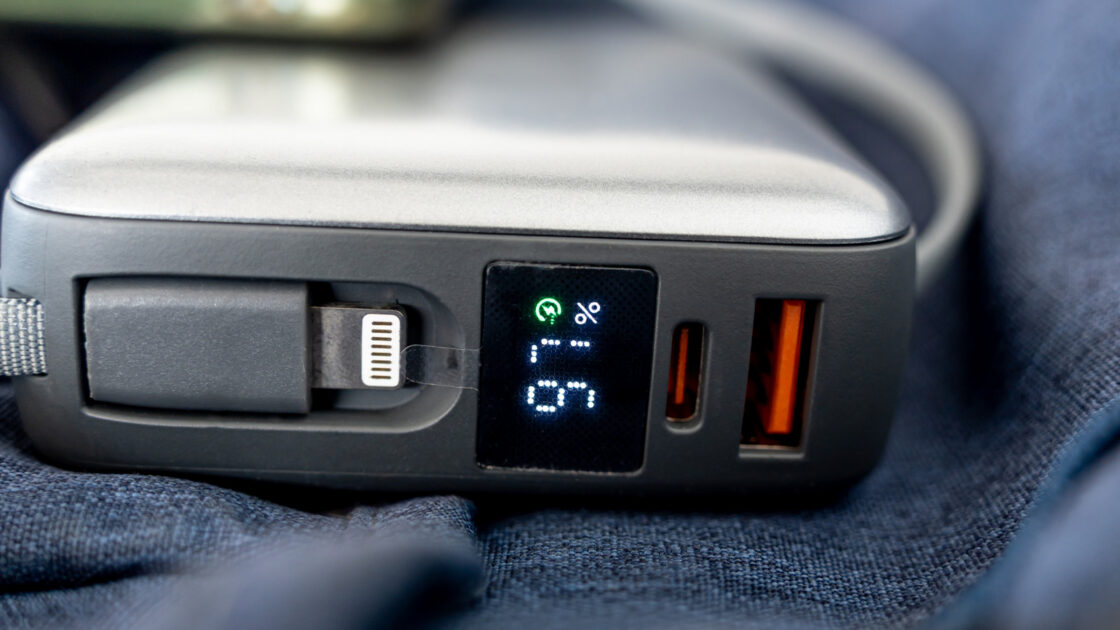
An orange USB port on a computer or home accessory can indicate an “always-on” charging option that delivers power even when the device is shut off. However, these colored inserts are not universally standardized across the electronics industry.
No Universal Industry Standard
As reported by Engadget, orange in a USB port is not governed by any official electronics rule defining it as a permanent charging port. The orange color usually appears on the plastic insert inside a rectangular USB-A socket. While some manufacturers designate these as always-on charging ports that also support fast data transfers of up to 5 Gbps, it is not a universal specification.
Manufacturers have the freedom to highlight unique functions without promising specific charging wattages or speeds. An orange USB port might provide power while the main system is turned off without necessarily offering 5 Gbps data transfer rates, making the color a general visual cue rather than a strict guarantee.
Manufacturer Variations
Because the color primarily serves as an indicator for a non-standard feature, users should consult the device documentation or online specifications. Different companies use orange inserts to represent entirely distinct hardware capabilities.
Intel applies orange USB ports on certain NUC PCs to provide enhanced charging connections delivering up to 1.5 amps, compared to the 900 milliamps supplied by blue ports on those same models. Conversely, Advantech utilizes orange ports as high-retention connectors designed to grip plugs tightly, requiring a withdrawal force that is 50 percent greater than conventional connectors.
Comparing Blue and Orange Ports
In many color comparisons, both blue and orange USB ports rely on USB 3.0 technology to support data transfer rates up to 5.0 Gbps. The primary distinction between the two colors often lies in the always-on power capability.
Even the blue color lacks complete standardization, although the USB-IF recommends it for SuperSpeed USB-A connectors. Consumers should also consider the connected device and cable, as cables must support high speeds and accessories must match the port’s maximum output to achieve optimal performance.