

Table of Contents
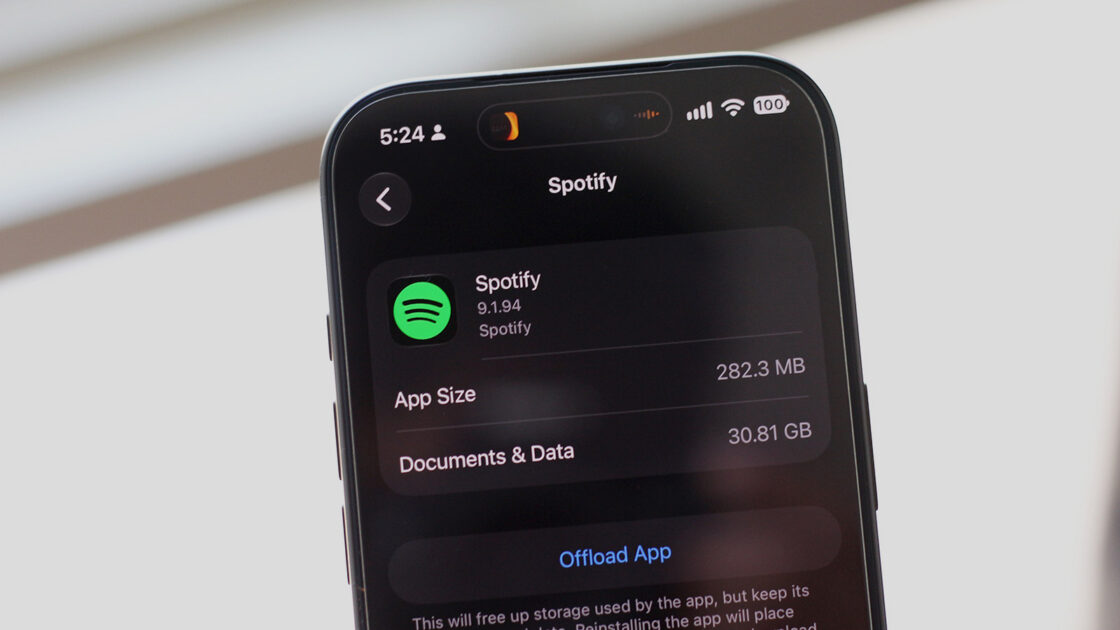
If your phone is running low on storage space, music streaming apps like Spotify might be the underlying cause. While streaming allows users to listen on the go without managing a local library, downloaded tracks and cached data can quickly consume significant device storage.
Checking your storage and managing Android cache
Users who receive low-storage warnings on iOS can check their usage by navigating to Settings, General, and iPhone Storage. On Android devices, users can typically find storage details by searching for “Storage” or checking menus such as Samsung’s Device care or standard settings options, where apps are automatically sorted by size.
Android devices allow users to clear an app’s cache by heading to Settings, Apps, selecting Spotify, and choosing Storage and cache before tapping Clear cache. While clearing storage completely removes offline music and signs the user out, the Spotify app provides alternative methods for managing downloads.
Managing Spotify downloads
In the Spotify app for Android and iOS, users can view downloaded content by going to the Your Library tab and tapping Downloaded at the top. From there, specific playlists or albums can be removed by tapping the green download button, allowing users to keep frequent offline tracks while deleting others.
To remove all downloads at once on mobile, users can tap their profile picture in the top-left corner, go to Settings and privacy, select Data-saving and offline, and tap Remove next to the Remove all downloads option, where cache can also be cleared. Users may need to restart their phone to see the freed-up storage, and similar download removal options are available on other services like Apple Music and Netflix.
Desktop users on Windows or macOS can remove downloads by clicking their profile picture, opening Settings, scrolling to the Storage section, and clicking Remove all downloads. Web browser users do not need to worry about storage for downloads, as offline listening is not supported on the web version.
Adjusting media quality to save space
Users who require offline music can reduce storage consumption by changing the quality of their downloaded songs. On mobile devices, going to Settings and privacy, selecting Media quality, and choosing the Low option under Download quality allows users to tap Update existing downloads, with Low quality tracking at around 24 kbps for casual listening.
Selecting the Lossless quality preset will cause an offline music library to take up substantially more space due to larger file sizes. Testing demonstrated that a library downloaded in Lossless quality occupied around 22GB, whereas switching to the Low preset reduced the same music library to just over 2GB.