
Table of Contents
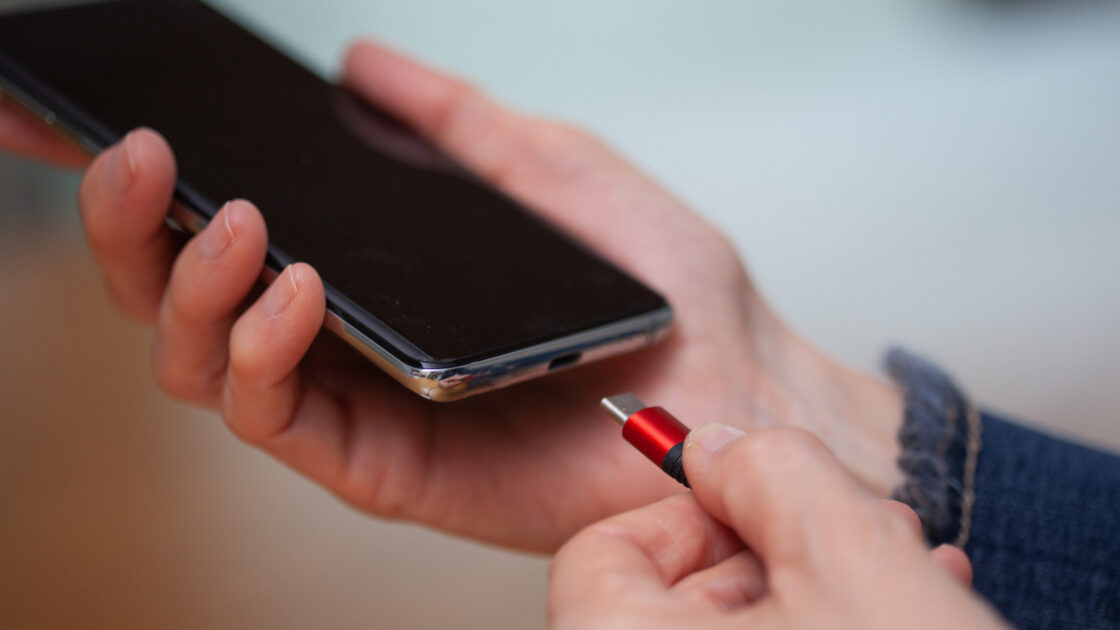
For a connector marketed as universal, USB comes in numerous shapes and colors, leaving shoppers confused in electronics aisles. However, as Engadget reports, the adoption of USB Type-C has provided one clear choice for modern devices, though the true meaning of the letter “C” often surprises people.
Common myths about the letter C
Internet searches for the meaning of the letter reveal several popular theories that are entirely incorrect. Explainer websites frequently encounter three main guesses, with some assuming “C” stands for “connectivity” due to the wide range of compatible devices. Others believe it represents “charging” because of its primary daily use, while a third group thinks it describes the rounded shape of the plug itself. None of these assumptions are correct, as the “C” simply designates the connector without standing for any specific word.
Misconceptions also surround the capabilities of a USB-C port. Many users mistakenly assume the port guarantees fast speeds, equates to Thunderbolt, or can automatically fast charge laptops and drive monitors. In reality, port capabilities vary because the connector is only a physical shape, while data and power speeds depend entirely on the specific device and cable.
The evolution from Type-A and Type-B
The actual origin of the letter is much simpler, as USB Type-C is simply the successor to Type-A and Type-B. When USB 1.0 launched in January 1996, it featured only those two non-interchangeable formats. The flat rectangular Type-A went into the host computer or power source, while the chunky square Type-B went into peripherals like printers or scanners. The system was designed around a one-way relationship where the host supplied power and controlled the operation, and the differing shapes prevented incorrect plug insertion.
Over time, a proliferation of shapes and colors emerged to complicate matters further. USB 2.0 introduced mini connectors in the year 2000, followed by micro versions to accommodate thinner phones and cameras. Loose color conventions emerged to differentiate ports—such as black for USB 2.0, blue for USB 3.0, and red or yellow for always-on power ports—though manufacturers often ignored these standards. Most hardware still relied on a Type-A end paired with some variation of a Type-B end on the device side.
Finalized in August 2014, USB Type-C resolved nearly all previous consumer complaints. It was thin enough for ultra-slim devices, fully reversible to eliminate guesswork, and eliminated the distinction between host and peripheral shapes at the connection point. Without shape variations, color coding became unnecessary because the two connected ends communicate to negotiate power and data transfer. Advanced connections like USB4 Version 2.0 now achieve speeds up to 80Gbps using that exact same Type-C connector.
Flaws and the potential for a Type-D
Consumers and technology companies initially welcomed USB Type-C for its versatility, compact size, and speed, particularly praising the reversible connection. Despite its success, the design has imperfections, notably a delicate and thin plastic tab inside the socket that houses the pins. If this internal tongue bends or breaks, the entire port becomes unusable, and connections can occasionally feel finicky.
There are currently no official plans for a Type-D connector, though an ideal future replacement would feature a simple ball-shaped plug that attaches magnetically to its socket.