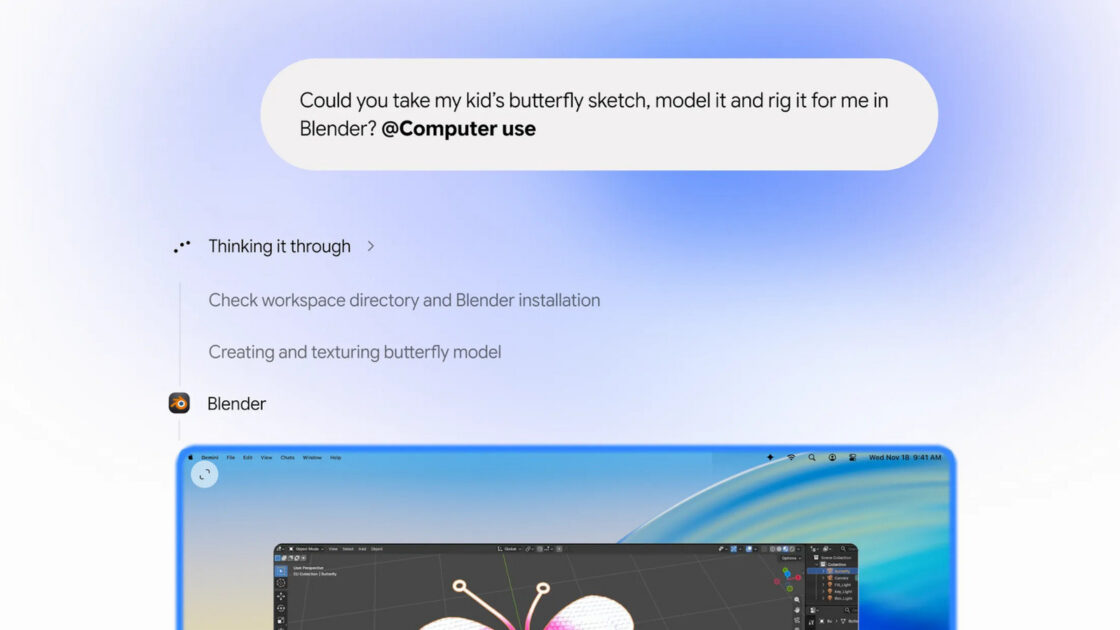
Google’s Gemini app for Mac now features the ability to execute repetitive tasks independently. While PC users have had access to this capability for some time, the Mac version now supports Gemini’s Computer Use function.
Automating Tasks on macOS
This capability allows the app to view your screen through screenshots while also clicking, typing, scrolling, and navigating programs and websites on your behalf. Users can automate multi-step processes across various programs and devices simply by providing instructions to Gemini in natural language.
The artificial intelligence application operates on your tasks within a background window, displaying a live preview directly inside your chat interface. The system avoids taking control of your screen or cursor, allowing you to continue using your Mac normally. Gemini operates strictly within the applications and programs you permit it to access, and it requests user approval for critical actions.
Practical Applications
Google outlined multiple use cases for the new capability in its announcement. Users can automate batch listings for sale on e-commerce platforms like eBay. For example, individuals selling a large quantity of clothing can direct Gemini to review photos stored locally in a folder, research appropriate pricing, record details, and prepare the listings.
Additionally, the tool can rapidly complete local PDF documents, including shipping declaration forms. It also accelerates creative workflows by enabling Gemini to automatically transform a pencil sketch into a 3D model.